How I Structure a Large Next.js Application
As Next.js applications grow beyond a few pages, messy folder structures create circular dependencies and bloated client bundles. Here is my scalable enterprise architecture.
Umar Farooq
System Architect & Full-Stack Engineer
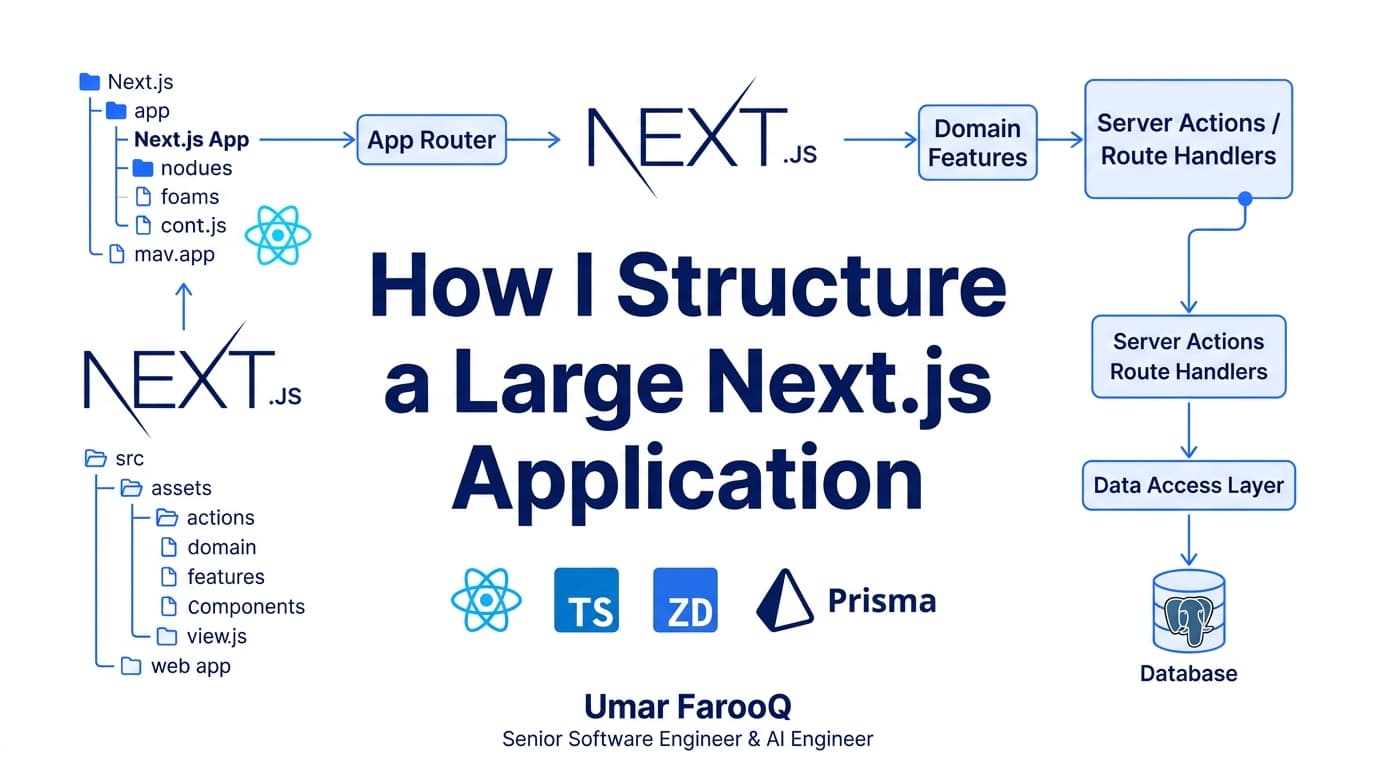
Next.js gives developers immense architectural freedom. Unlike opinionated backend frameworks like Laravel or Ruby on Rails, Next.js does not prescribe a rigid folder structure beyond the core conventions of the App Router. For small five-page portfolio sites, this flexibility is wonderful. When architecting a large nextjs application, establishing strict boundaries between domain modules prevents unwieldy dependency graphs.
However, when building complex commercial platforms with multi-tenant authentication, dynamic billing, customer portals, and real-time dashboards, an unstructured codebase quickly collapses. Developers end up with circular dependencies, accidental client bundle bloat, and messy prop drilling across hundreds of files.
Having engineered scalable Next.js systems supporting over 50,000 active users—including the multi-tenant SaaS architectures we deliver at WorldWebTree—here is the modular, domain-driven structure I rely on to keep large applications maintainable for years.
A great architecture does not just organize files. It enforces clear boundaries: separating server-only database operations from interactive client components, and grouping features by business domain rather than technical type.
The Flaw of Technical Categorization
Junior teams often structure projects by technical category: placing all components in a global components folder, all hooks in hooks, and all utilities in utils. When your application grows to seventy routes, finding the files related to the billing checkout requires jumping between six disparate directories.
The proven solution is Domain-Driven Feature Modularization, inspired by enterprise architecture guidelines from Martin Fowler Software Architecture Patterns and the official Next.js Project Organization Documentation. Everything related to a specific business capability—such as subscriptions, invoices, or user profiles—lives together inside its own feature module.
The Battle-Tested Directory Blueprint
Here is the high-level layout of a production enterprise Next.js repository:
src/
├── app/                          # Pure routing and layout orchestration
│   ├── (auth)/                   # Authentication route group
│   │   ├── login/page.tsx
│   │   └── register/page.tsx
│   ├── (dashboard)/              # Protected authenticated workspaces
│   │   ├── layout.tsx            # Authenticated shell layout
│   │   ├── billing/page.tsx
│   │   └── analytics/page.tsx
│   └── (marketing)/              # Public SEO marketing pages
│       ├── layout.tsx
│       └── page.tsx
│
├── features/                     # Domain-driven feature modules
│   ├── billing/
│   │   ├── components/           # Feature-specific UI components
│   │   ├── server/               # Server Actions & database mutations
│   │   ├── schemas/              # Zod validation schemas
│   │   └── types/                # Feature-specific TypeScript interfaces
│   └── analytics/
│       ├── components/
│       └── server/
│
├── server/                       # Dedicated Data Access Layer (DAL)
│   ├── db/                       # Prisma, Drizzle, or Mongoose clients
│   └── queries/                  # Cached, server-only data fetching
│
└── components/ui/                # Primitives (Buttons, Dialogs, Cards)
The Data Access Layer: Isolating Queries with server-only
One of the most dangerous mistakes in Next.js is accidentally importing database credentials or private API keys into client components. To eliminate this risk, all database queries should live inside a dedicated Data Access Layer (DAL) guarded by the official server-only package:
// src/server/queries/user.ts
import "server-only"; // Guarantees this file can NEVER be imported in client components
import { cache } from "react";
import { db } from "@/server/db";

// Deduplicate database queries across the same render pass
export const getCurrentUserWithProfile = cache(async (userId: string) => {
  return await db.user.findUnique({
    where: { id: userId },
    select: {
      id: true,
      email: true,
      name: true,
      role: true,
      subscription: {
        select: { status: true, tier: true },
      },
    },
  });
});
Colocating Zod Schemas and Server Actions
Instead of placing Server Actions in global directories, colocate them inside their respective feature folders. This ensures that the mutation logic, validation schema, and UI component form live in the same self-contained unit:
// src/features/billing/server/actions.ts
"use server";

import { updateSubscriptionSchema } from "../schemas/billingSchemas";
import { updateCustomerTier } from "@/server/mutations/billing";
import { auth } from "@/lib/auth";
import { revalidatePath } from "next/cache";

export async function updateSubscriptionAction(formData: unknown) {
  const session = await auth();
  if (!session?.user?.id) throw new Error("Unauthorized");

  // Validate runtime shape against colocated Zod schema
  const parsed = updateSubscriptionSchema.safeParse(formData);
  if (!parsed.success) {
    return { error: "Invalid plan parameters", details: parsed.error.flatten() };
  }

  // Call Data Access Layer mutation
  await updateCustomerTier(session.user.id, parsed.data.planId);
  revalidatePath("/dashboard/billing");
  return { success: true };
}
Architecture Comparison: Flat Structure vs Domain-Driven Layout
Here is how this architecture compares against conventional flat layouts:
Architecture Attribute | Traditional Flat Layout | Domain-Driven Enterprise Architecture |
|---|---|---|
File Colocation | Files scattered across global type folders | All UI, schemas, and actions colocated by feature |
Security & Data Isolation | Easy to accidentally leak server code to client | server-only package strictly prevents client leaks |
Query Deduplication | Repeated queries in separate components | React cache() deduplicates requests automatically |
Refactoring Safety | Renaming a feature breaks imports globally | Deleting or modifying a feature is isolated to one module |
Team Collaboration | Merge conflicts on shared global folders | Engineers work independently in separate feature directories |
Route Handlers vs Server Actions: When to Use Which
A common architectural debate in large Next.js apps is choosing between Route Handlers (app/api/...) and Server Actions. Each serves a distinct technical role:
Server Actions for UI Mutations: Use Server Actions for form submissions, user profile edits, and interactive state changes that directly trigger revalidatePath() or revalidateTag() in React components.
Route Handlers for Machine Endpoints: Use Route Handlers for incoming webhooks (such as Stripe or Lemon Squeezy), public REST API endpoints consumed by mobile applications, and binary file streaming like CSV exports or invoice PDFs.
Frequently Asked Questions
Should I organize Next.js by feature or by type?
Organize by domain feature rather than technical file type. Grouping components, Server Actions, Zod schemas, and types within domain folders (such as features/billing or features/auth) keeps related logic colocated, reduces circular dependencies, and makes deleting or refactoring features safe and isolated as your codebase scales.
Where should database queries live in Next.js?
All database queries should reside in an isolated Data Access Layer (DAL) under src/server/queries/, guarded by the server-only package. This strictly guarantees that database connection credentials, ORM models, and private secrets can never be accidentally imported into interactive client component bundles.
Are Server Actions better than Route Handlers?
Neither is universally better; they serve distinct purposes. Use Server Actions for user-driven form submissions and mutations that directly revalidate React component paths. Use Route Handlers for external incoming webhooks, public REST endpoints consumed by mobile apps, and streaming binary files like PDF invoices.
Summary & Performance Standards
By separating route orchestration from business logic and grouping code into domain features, your Next.js application remains organized, fast, and easy to maintain as your engineering team expands.
In our Next.js SaaS MVP development services, this exact architecture allows us to ship complex enterprise platforms in two to four weeks with guaranteed type safety and sub-35ms edge latency.
To discover more about our production standards and full-stack engineering track record, read through my About Me page or explore our complete library of technical case studies on the Engineering Blog.
Planning to build or refactor a large-scale Next.js application? Book an architecture consultation directly on my Connect page.

Umar Farooq
Author & ConsultantSpecializes in Laravel, Next.js, and AI products. 5+ years enterprise experience with 80+ delivered platforms and full source code ownership.
Related Engineering Insights

PHP2Shell: Why Governments Took Their Own Websites Offline
When two flaws in PHP were disclosed on 21 October, governments did not wait to see what happened. They switched their own websites off. This is the full story of PHP2Shell, why around 70% of the web is exposed, and the one fix that actually works.

PHP2Shell: How to Check Your PHP Version and Fix It Today
Two critical flaws in PHP itself, rated 9.2 out of 10, let anyone run code on an unpatched server without a login. Updating WordPress does not fix this. Here is how to check your PHP version, patch it, restart it properly, and confirm you are safe.

The 10-Minute Database Check Every Vibe-Coded App Needs Before Launch
A timed 10-minute database security checklist for vibe-coded apps: find tables with Row Level Security off, lock them down with policies, and verify like an attacker, with exact SQL included.