I Built an MCP Server in Laravel So Claude Can Query My Database
MCP lets AI assistants call your app's tools through a standard protocol. I built one in Laravel with the official laravel/mcp 1.0 package: a small server with a read-only database tool that Claude can query safely.
Umar Farooq
System Architect & Full-Stack Engineer
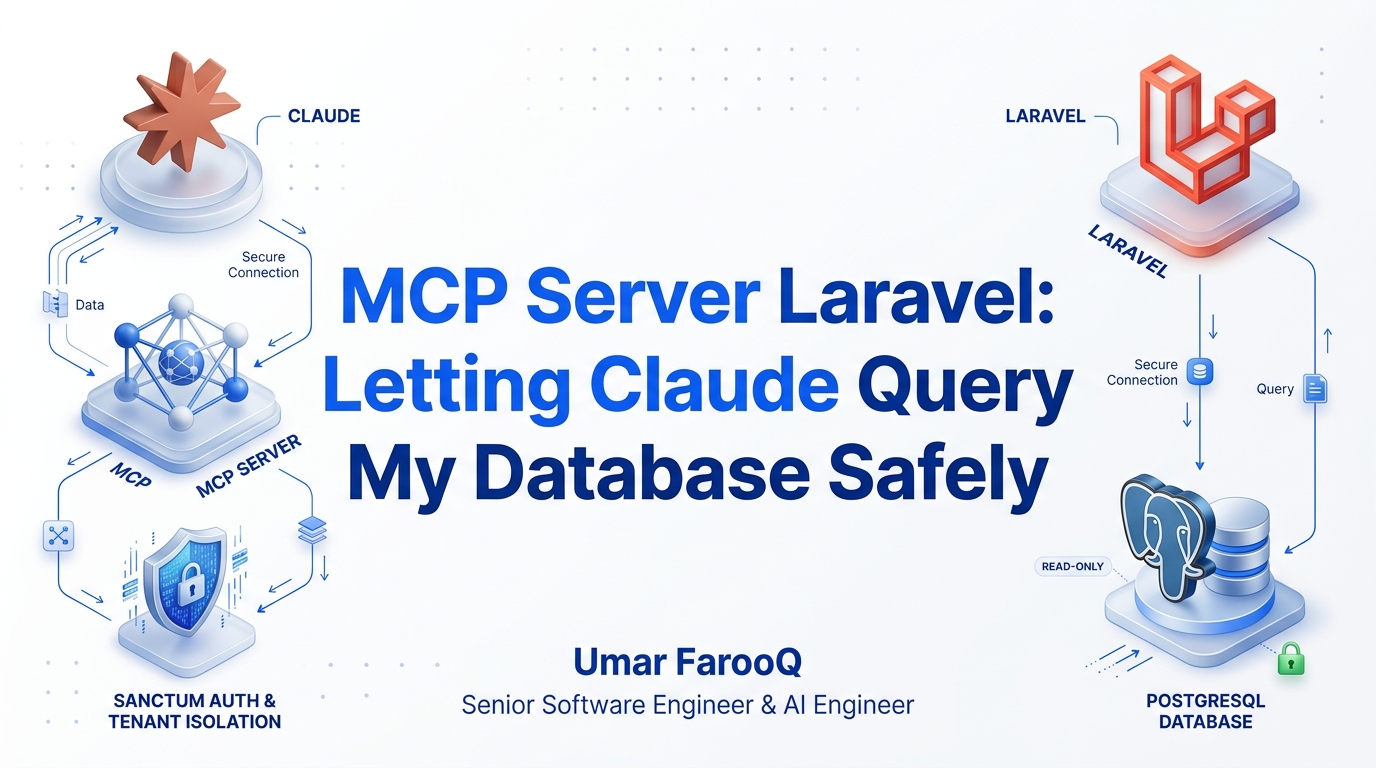
MCP Server Laravel: Letting Claude Query My Database Safely
I was tired of pasting database schemas and order numbers into Claude. Every support question meant copying context by hand before I got a useful answer. Then I built an MCP server in Laravel. It is a small part of my app that exposes safe, narrow tools Claude can call directly. This is my MCP server Laravel build diary, from install to locked-down production, over four days.
Quick Answer: MCP, the Model Context Protocol, is an open standard released openly by Anthropic in November 2024. It lets AI assistants discover and call tools your app exposes, instead of you pasting data into a chat. Laravel's official laravel/mcp package, stable at 1.0 since mid-September 2026, scaffolds servers, tools, resources, and prompts with Artisan commands. I built a support server with one read-only database tool, scoped to the logged-in tenant. Claude asks for an order. The tool runs a scoped query. The answer returns in seconds.
Why I Started My MCP Server Laravel Build
Context: I support a dashboard for a distribution client in Riyadh. The same questions kept arriving: orders, invoices, shipment statuses.
Action: I built a small MCP server with read-only tools over the orders table. Then I connected it to my AI assistant. I was tired of pasting schemas and order numbers into Claude for every question.
Result: those questions now get answered in seconds from a chat window. But my first version also had a write tool for order notes. I removed it after a vague instruction nearly edited the wrong record.
Lesson: start read-only. Add write tools later, behind a human approval step. Experimenting with AI inside Laravel? Read my overview of what you can actually build with the Laravel AI SDK. It pairs well with this build.
What an MCP Server Actually Is
MCP stands for Model Context Protocol. A protocol is simply an agreed way for two programs to talk. Anthropic released MCP openly in November 2024. It is now the standard way to plug tools into AI assistants like Claude, ChatGPT, and coding agents.
Your app plays the server role. It advertises capabilities the assistant discovers. Then it serves calls over JSON-RPC, a plain message format for remote calls, usually over HTTP. For local CLIs like Claude Code, the stdio transport runs the server as a subprocess with no network involved.
You decide exactly which tools exist and what each may touch. Claude never gets raw database access. It gets one narrow door, and you hold the key. MCP has three building blocks. A tool runs an action and returns a result, like looking up one order. A resource exposes readable data the model can pull, like a returns policy document. A prompt is a reusable instruction template, like "summarise this ticket for a manager." Most Laravel builds need tools first.
Day 1: MCP Server Laravel Install and Scaffold
You need a Laravel 12 or 13 app with PHP 8.2 or newer, plus Composer. First I installed the official laravel/mcp package, stable at 1.0 since mid-September 2026. Artisan is Laravel's built-in command-line tool, so these are plain terminal commands. Then I published the AI routes file and scaffolded my server:
composer require laravel/mcp, then php artisan vendor:publish --tag=ai-routes, then php artisan make:mcp-server SupportServer.
The publish step creates routes/ai.php. The scaffold creates app/Mcp/Servers/SupportServer.php with attributes for its name and version:
<?php

namespace App\Mcp\Servers;

use App\Mcp\Tools\LookupOrderTool;
use Laravel\Mcp\Server;
use Laravel\Mcp\Server\Attributes\Name;
use Laravel\Mcp\Server\Attributes\Version;

#[Name('Support Server')]
#[Version('1.0.0')]
class SupportServer extends Server
{
    // Tools, resources, and prompts each get their own
    // array. One server per area (support, billing) is
    // easier to permission than one giant server.
    protected array $tools = [
        LookupOrderTool::class,
    ];

    protected array $resources = [
        // ExampleResource::class,
    ];

    protected array $prompts = [
        // ExamplePrompt::class,
    ];
}
What I learned: scaffolding only registers the capability arrays. Nothing is callable yet, and that is expected. Tools come tomorrow.
Checkpoint: run php artisan route:list and confirm the ai.php-backed route group exists. Run php artisan about and confirm the server class loads without errors.
Day 2: Writing a Read-Only Order Tool
Tools are plain PHP classes. Each one declares a description, a handle method that runs, and a schema. A tenant is one client's separate slice of the data, so tenant-scoped means the tool only sees that client's rows. The schema is a JSON Schema that describes the input it accepts. I marked my database read with the read-only attribute, so even a hijacked call cannot change data.
<?php
namespace App\Mcp\Tools;
use App\Models\Order;
use Illuminate\JsonSchema\JsonSchema;
use Laravel\Mcp\Request;
use Laravel\Mcp\Response;
use Laravel\Mcp\Server\Attributes\IsReadOnly;
use Laravel\Mcp\Server\Tool;
#[IsReadOnly]
class LookupOrderTool extends Tool
{
    protected string $description = 'Look up one order by its number. Read-only.';
    public function handle(Request $request): Response
    {
        // Scope to the authenticated tenant. Never take a user
        // id from the model: the session is the source of
        // truth, the model is the guest.
        $order = Order::where('number', $request->get('number'))
            ->where('team_id', $request->user()->currentTeam()->id)->first();
        if (! $order) { return Response::text('No order found with that number.'); }
        return Response::text("Order {$order->number}: {$order->status}, total {$order->total} SAR.");
    }
    public function schema(JsonSchema $schema): array
    {
        return ['number' => $schema->string()
            ->description('The order number, e.g. ORD-1042.')->required()];
    }
}
What I learned: the tool knows nothing about the assistant. It only trusts the authenticated user on the request. The session is the source of truth, and the model is the guest. Before wiring tools into anything that spends money, read my guide. It covers how I automate complex business workflows with Next.js, Laravel, and AI agents.
Checkpoint: write a Pest or PHPUnit test. Call handle with a seeded order number. Assert the response contains that order number. Then assert that another tenant's order number returns "No order found."
Day 3: Registering Routes and Testing with the Inspector
On day 3 I registered the server in routes/ai.php through the MCP registrar. Sanctum middleware guards it. Sanctum is Laravel's token authentication package:
<?php

use App\Mcp\Servers\SupportServer;
use Laravel\Mcp\Facades\Mcp;

Mcp::web('/mcp', [SupportServer::class])->middleware(['auth:sanctum']);
Never expose an MCP server without authentication. In 1.0, every route registered this way also passes header validation middleware. Note that 1.0 ships the 2026-07-28 protocol revision. It brings stateless servers and stricter header checks. Older tutorials showing an initialize handshake describe the legacy flow.
Then I tested with the MCP Inspector. It is a test app that lists your tools and lets you call them by hand. I confirmed three things. The tool appears with its description. A valid order number returns the right row. A request without a token gets rejected.
What I learned: the Inspector catches auth mistakes in seconds. Testing by hand in Claude wastes time by comparison. The official laravel/mcp repository and the Laravel News 1.0 release notes are the sources I trust when the API moves. The official MCP documentation covers the protocol side in full.
Checkpoint: with no token, the endpoint must fail authentication. With a valid token, asking for order ORD-1042 must return that order and nothing else.
Day 4: Locking It Down
Day 4 was all security, no new features. I kept auth:sanctum on every MCP route. I scoped every query to the authenticated tenant, as in the Day 2 tool. Then I added logging: every tool call records the user id, the tool name, and the arguments. When something looks wrong later, that log is my paper trail.
I also planned for growth. When the tool list grows, I will enable the searchable tool catalog. Then the model discovers tools on demand instead of loading all of them at once. The write tool for order notes stays deleted. It only comes back behind a human approval step, and that is a firm rule now. My notes on how I use AI during development cover the same caution. Never hand an assistant a power you would not hand a stranger.
What I learned: security is a checklist, not a feeling. Auth, tenant scoping, read-only defaults, logging, and a catalog plan. That is the whole lockdown.
Checkpoint: the audit log shows one row per tool call with user id, tool name, and arguments. An unauthenticated request to /mcp still gets rejected.
Frequently Asked Questions
How do I build an MCP server in Laravel?
Install the official package with composer require laravel/mcp. Publish the AI routes with php artisan vendor:publish --tag=ai-routes. Then scaffold with php artisan make:mcp-server SupportServer. Add a read-only tool, register the route with Sanctum auth, and test with the MCP Inspector. The diary above walks each step with checkpoints.
What is an MCP server in simple terms?
It is a part of your app that exposes safe, narrow tools an AI assistant can call. Instead of pasting data into a chat, the assistant discovers your tools and calls them. Your code runs and returns the result. You decide exactly which tools exist and what each may touch.
Is it safe to let Claude query my database?
Only through narrow, read-only, tenant-scoped tools, behind authentication, with logging. Never expose raw SQL or a generic query tool: one vague instruction could read or change the wrong rows. The assistant gets tools, never credentials and never the database itself. My guide to building with the Laravel AI SDK covers the same caution from the app side.
What is the difference between MCP tools, resources, and prompts?
Tools run actions and return results. Resources expose readable data the model can pull, like documents. Prompts are reusable instruction templates the user can invoke. Most Laravel builds need tools first, resources for reference documents, and prompts for repeated complex requests.
How does stdio transport work with Claude Code?
Stdio runs the server as a subprocess of the CLI tool, with no network involved. Claude Code starts your Laravel MCP server locally and talks to it over standard input and output. For hosted setups you use HTTP instead, with your registered route and an auth token.
Do I need authentication on my MCP server?
Yes, always. Never expose an MCP server without authentication. I guard every route with auth:sanctum, Laravel's token auth. Every tool call scopes its query to the authenticated tenant. The MCP Inspector test above proves that a request without a token gets rejected.
Can I use MCP with models other than Claude?
Yes. MCP is a protocol, not a Claude feature. ChatGPT, Cursor, Claude Code, and others can all act as MCP clients. Your Laravel server does not care which assistant connects. It only needs the client to speak the protocol and pass your authentication.
What should I log in an MCP server?
Log every tool call with the user id, the tool name, and the arguments. That gives you a paper trail when something looks wrong. Log rejections too, like failed auth attempts. Review the log weekly, the same way you would review any security log.
Your First MCP Server Laravel Build Is Closer Than You Think
Your first MCP server Laravel project is mostly Laravel. You get Artisan scaffolding, the service container, validation-style schemas, and middleware for auth. Install and scaffold. Add a read-only tool scoped to the current tenant. Then register the route, test with the Inspector, and lock it down. Four days, one working tool, zero leaked data.
Keep your first server small. One tool that reads one table teaches you the whole pattern. You can add a second tool once the first one behaves. That is how I grew my support server. And every new tool gets the same treatment: narrow scope, a schema, a test, and a log line.
Want a second pair of eyes on your MCP design before it touches production data? Message me here.
One more habit worth copying. I keep a tiny runbook for my servers. It lists each tool, what data it touches, and who may call it. When a client asks "what can this thing do," I send the runbook. It takes ten minutes to write and saves hours of back and forth.

Umar Farooq
Author & ConsultantSpecializes in Laravel, Next.js, and AI products. 5+ years enterprise experience with 80+ delivered platforms and full source code ownership.
Related Engineering Insights
PHP2Shell: Why Governments Took Their Own Websites Offline
When two flaws in PHP were disclosed on 21 October, governments did not wait to see what happened. They switched their own websites off. This is the full story of PHP2Shell, why around 70% of the web is exposed, and the one fix that actually works.
PHP2Shell: How to Check Your PHP Version and Fix It Today
Two critical flaws in PHP itself, rated 9.2 out of 10, let anyone run code on an unpatched server without a login. Updating WordPress does not fix this. Here is how to check your PHP version, patch it, restart it properly, and confirm you are safe.
The 10-Minute Database Check Every Vibe-Coded App Needs Before Launch
A timed 10-minute database security checklist for vibe-coded apps: find tables with Row Level Security off, lock them down with policies, and verify like an attacker, with exact SQL included.